
Dryer Is Overheating: Causes, Real Repairs and What They Cost
Vent, thermostats, lint and the heating system, with real Tampa Bay invoices
Quick Answer: Check These First
- 1. Stop and let it cool
- Do not run a dryer that is hot to the touch or scorches clothes.
- 2. Check the hose behind the dryer
- A crushed or lint-packed hose traps the heat. Straighten it and clear the lint.
- 3. Feel the air at the flap outside
- Strong warm air is normal. Weak air means the vent is blocked further in, and the heat has nowhere to go.
- 4. Still too hot? Call us
- With the vent clear, a failed thermostat is likely and the dryer should not be used. Our recent jobs cost $160 to $296. The service call is free with any repair.
Does your dryer turn on, the cycle starts, but it’s not drying your clothes? Learn about why the dryer has drying issues – from clogged vents to a faulty thermostat, and find practical solutions. This article will help you diagnose the problem, avoid hazards, and know when it’s time to call a pro. Book our dryer repair service:
For expert diagnostics and same-day service, trust our certified technicians specializing in appliance repair Tampa.
Dryer overheating? Tell us the brand and what it does
We call back within 15 minutes – 8 AM to 7 PM on weekdays and 8 AM to 6 PM on weekends
Reasons Why the Dryer Is Not Drying
-
Lint Buildup
Lint buildup is the number one reason dryers overheat. Even if you clean the lint filter after every cycle, lint still gets into the vents, inside the body of the dryer, and around the heating element. It acts like insulation, trapping heat, and it can easily catch fire if it gets too hot. People are usually shocked when we open up their dryer and show them how much lint has built up over the year. It’s even worse in homes with kids or pets — hair, fur, and tiny fibers pile up fast.
You’ll need to unplug the dryer, take it apart, and do a full cleaning of all the internal vents. That means removing the panel, cleaning the ductwork, the fan blades, and the areas around the heating element. Sometimes, the thermal fuse might have blown from overheating and will need replacing. Also, don’t forget to check the vent pipe going outside — even a partial blockage can cause heat buildup.
Pro Tip:
It’s a good idea to have your dryer professionally cleaned once a year — especially if it’s installed against a wall with a long vent line. -
Restricted Airflow
Dryers only work well when hot air can flow out properly. If the airflow gets restricted — from bent vents, crushed ducts, or blockages — the heat gets trapped and the dryer overheats. It can also be caused by a clogged fan, a weak motor, or dirty filters. In my experience, this is the second most common issue, especially in laundry rooms or closets where the dryer is packed in tight.
Start by checking the lint filter. Then look at the vent hose behind the dryer and the vent that goes outside. Any bends, pinches, or loose connections can mess things up. Next, inspect the fan motor and blades — if they’re dirty or worn out, airflow will be weak.
Pro Tip:
Avoid using flexible plastic ducts — they kink easily and trap lint. Stick to rigid metal ducts with as few bends as possible. Also check the outside vent — leaves, dust, or even bird nests can block it. -
Faulty Thermostat
The thermostat controls your dryer’s internal temperature. It’s supposed to shut off the heat once things get hot enough. If it stops working or gives bad readings, the dryer might keep heating even after it should’ve stopped. This can blow fuses or even start a fire. A burning smell or clothes that come out too hot are signs something’s wrong.
Start by testing the thermostat and thermal fuses with a multimeter. If there’s no continuity or if it doesn’t react properly to heat — replace it. Also check the control board to rule out electrical issues. Always replace with the exact right model — thermostats need to be properly calibrated to work correctly.
Pro Tip:
If even lightweight clothes come out scorching hot, your thermostat’s probably done for. Don’t wait until the fuse blows — swap it out early. -
Heating Element Issues
The heating element is basically the heart of your dryer. If it shorts out, gets too hot, or is damaged, it might keep heating even when the thermostat says stop. That’s a serious issue. I’ve seen melted plastic and burnt wires from this. The element can wear out from age or from constantly running on high heat.
Look for any cracks, scorching, or signs of overheating on the element. Then use a multimeter to check for resistance and grounding. If it’s shorted or has low resistance — replace it. Also check the wiring and terminals — bad connections can cause overheating too. Always install a certified replacement for your specific model.
Pro Tip:
When you replace a heating element, always check the thermostat and the fan too. Sometimes the element isn’t the root of the problem — poor airflow or control issues can cause it to overheat. -
Worn Drum Seals
Drum seals help keep the hot air inside where it’s supposed to be. Over time, they wear down — usually around the front and back of the drum. When that happens, hot air escapes into the dryer’s body, overheating parts and throwing off the temperature control. I see this a lot in dryers older than 7 years or in machines that are overloaded all the time.
Look for cracks, tears, or general wear on the drum seals. If they’re damaged — replace both the front and back seals. It’s also a good time to replace the drum rollers or guides to make sure it spins smoothly.
Pro Tip:
If your dryer starts making scraping sounds or the drum feels loose — that’s usually a sign the seals are wearing out. Don’t wait for the motor to overheat or for a roller to snap — fix it sooner rather than later.
Real Overheating Repairs From Tampa Bay
These jobs did not all start with the word overheating, but each found what causes it: a blocked vent and lint baked onto the thermostats. Recent jobs from our own service records.
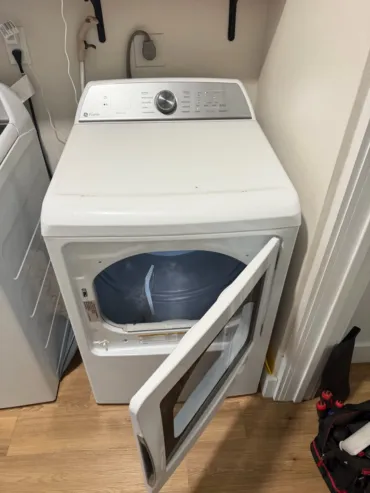
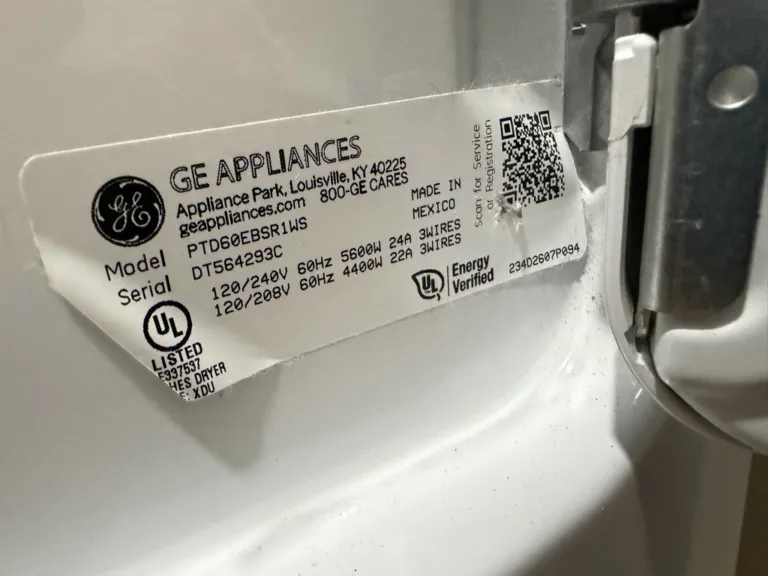
GE Profile PTD60EBSR1WS, Grovewood Rd: slow drying, a squeal, and a vent that was nearly shut
| Brand | GE Profile dryer PTD60EBSR1WS |
|---|---|
| Street | Grovewood Rd, Clearwater |
| Complaint | It took too long to dry, sometimes would not start, and made a squealing noise |
| What failed | Thermostats caked with burnt lint, two of them dead; the vent duct nearly blocked; dirty rollers made the noise. The heating element was fine. |
| Parts | Thermostat set WE04X31037, WE04X31007, WE04X30381, WE4M398, WE4M448, $126 |
| Labor | $160, including a deep cleaning |
| Visits | 1, parts on the truck |
| Total (parts and labor) | $286 |
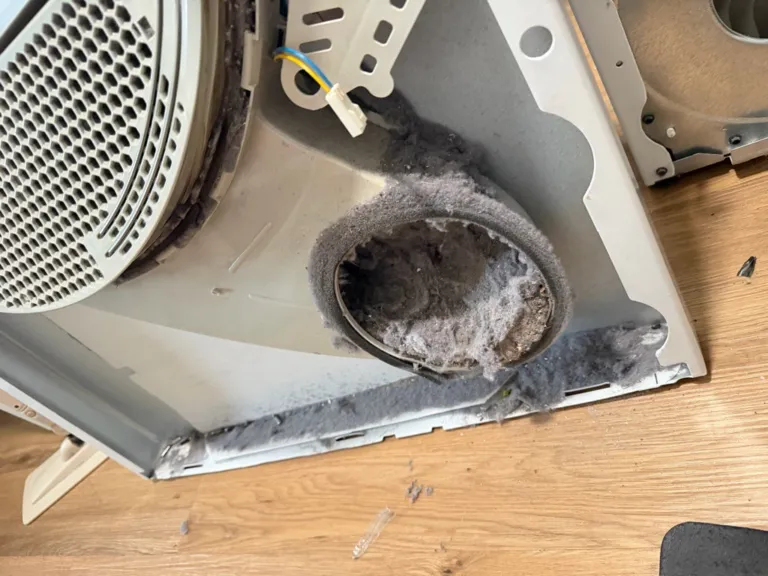
The complaint. The customer’s GE Profile took far too long to dry, sometimes would not start, and made a squealing noise.
What the technician found. After a full teardown the inside of the dryer was very dirty and the vent duct was practically blocked. Air could not circulate in the volume needed to cool the heating element, and the sensors began to misreport. Lint packed against the thermostats and, under heat, baked on, so they no longer sent correct data to the control. The heating element itself was in good condition and showed no damage.
What was done. Five thermostats were replaced. The technician tested them with a multimeter: two showed no sign of life and had to go, and the other three worked but were in poor condition, with burnt-on deposits, so he replaced the full set. The squeal came from dirty rollers, which he cleaned and lubricated. He had every part with him and finished on the first visit for $286 in total.
From our technician. Heating elements in these GE dryers are large, wound in three layers, and run less hot for the same output, so they rarely fail. What fails is the thermostats around them. In his experience a dryer with the heating system, rollers and vent kept clean and replaced when needed keeps working for many more years, because a dryer is little more than a motor, rollers, a control board and the heating system.
Samsung dryer, 102nd Pl N: no heat, and lint behind it
| Brand | Samsung dryer |
|---|---|
| Street | 102nd Pl N, Clearwater, FL |
| Complaint | Dryer stopped heating |
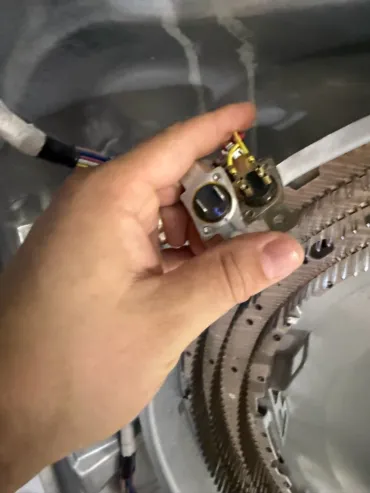
| What failed | Heating element, thermostats and thermistor, all damaged by heavy lint buildup |
| Replaced | Heating element, three thermostats, thermistor |
| Also done | Drum rollers lubricated; vent line and dryer interior cleaned; full dry cycle tested |
| Total | $296 (parts & labor) |
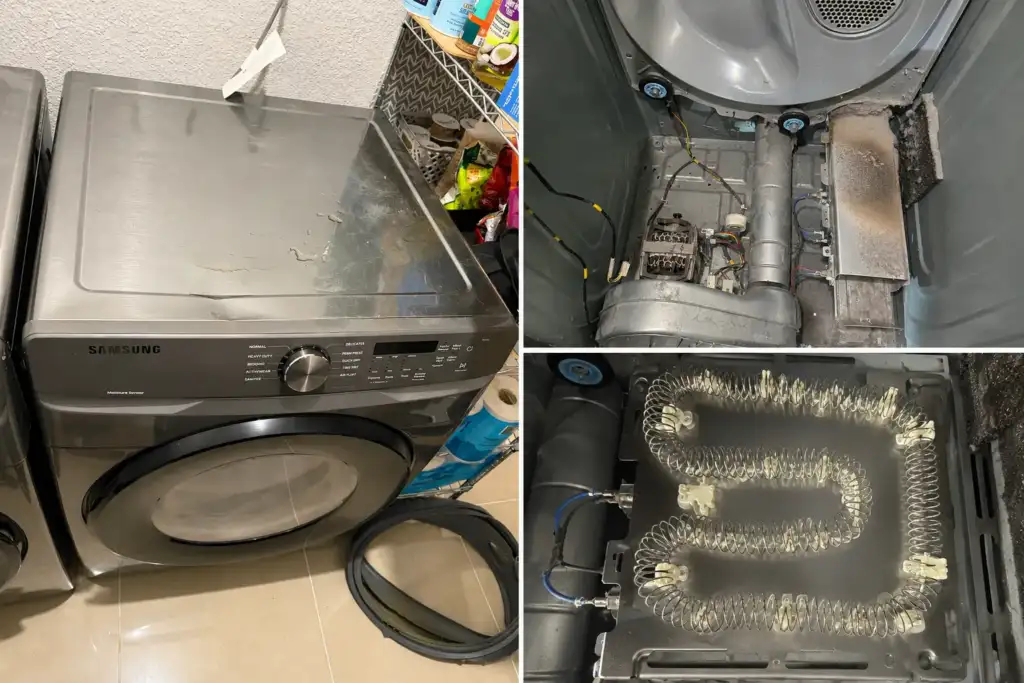
The complaint. The dryer still ran but no longer produced heat. The clothes came out as wet as they went in.
What the technician found. The cause was not a single burnt-out part. Excessive lint had built up in the machine, and the heating element, the thermostats and the thermistor had all failed under it.
What was done. The heating element was replaced, along with three thermostats and the thermistor. Because the lint was the cause, the vent line and the inside of the dryer were cleaned too, the drum rollers were lubricated, and a full dry cycle was run to confirm the heat and the airflow. The total was $296, parts and labor.
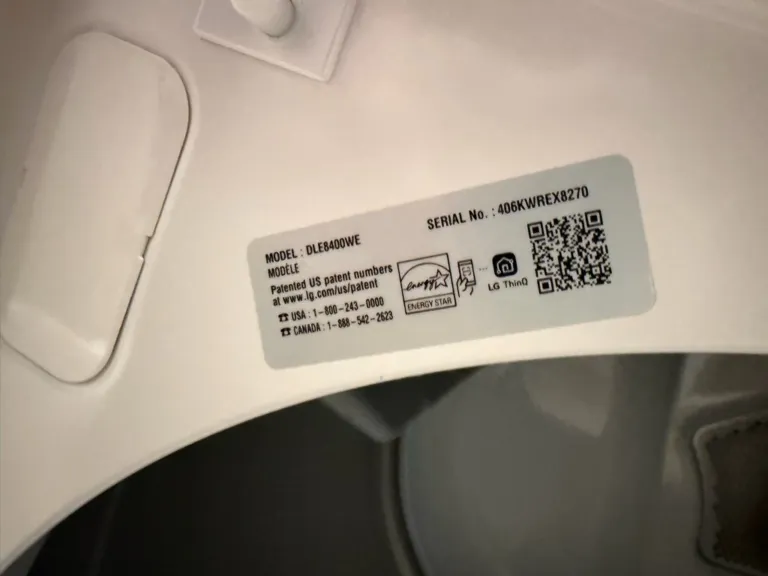
LG DLE8400WE, Beagle Run Pl: a new noise, damp laundry and error D80
| Brand | LG dryer DLE8400WE |
|---|---|
| Street | Beagle Run Pl, Tampa |
| Complaint | A new noise during drying, clothes not drying fully, error code D80 |
| What failed | Nothing electrical: a clogged vent duct and a dirty interior; lint on the drum rollers made the noise |
| Work | Full teardown cleaning with the drum removed: vent duct, heating element and sensors; rollers lubricated with high-temperature grease |
| Parts | None |
| Visits | 1 |
| Total (labor only) | $160 |
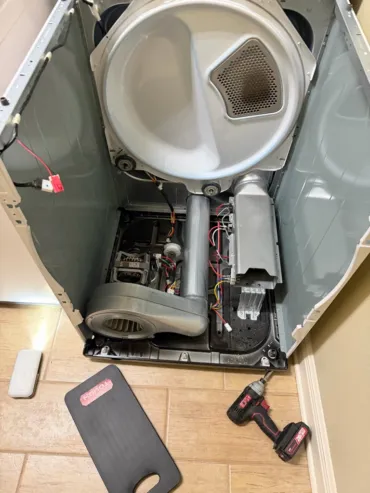
The complaint. The customer’s LG dryer had started making a different noise during the cycle, the laundry came out not fully dry, and the display showed D80.
What the technician found. He checked every component, the heating element and the thermostats included, and all of them were fine. The dryer was fairly new and in good condition. What he found was a vent duct clogged with lint, and lint inside that had fallen onto the drum rollers, which was the strange noise.
What was done. No part needed replacing. The technician took the dryer apart completely, drew out the drum and cleaned the inside, the airflow paths, the heating element, the sensors and the vent duct. He then lubricated the rollers with the high-temperature grease these rollers need. The noise was gone, the dryer dried properly again, and the job was finished on the same visit for $160 in labor.
What D80 told us. In our technician’s experience codes such as D60, D70, D80 and D90 are about restricted airflow, and the higher the number, the worse the restriction. The surface lint filter should be cleaned after every load, but it does not reach the inside. Once a year the dryer needs a full cleaning with the drum out, because the heating element is an open coil that runs hot, and a thick layer of lint around it is a fire risk.
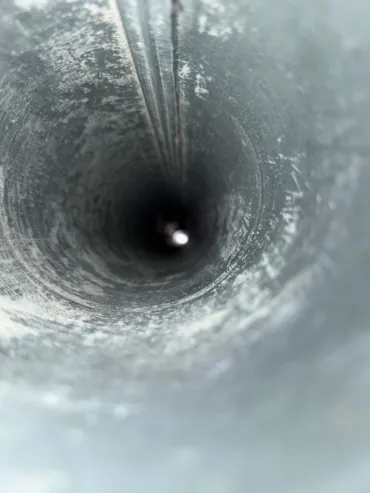
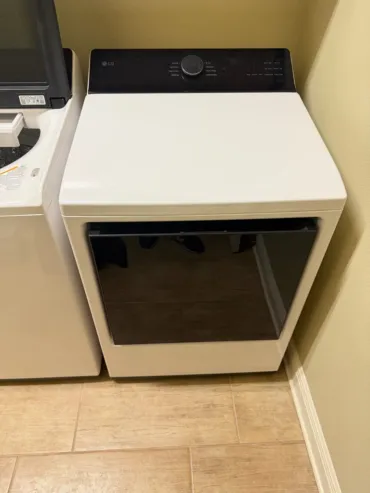
More dryer jobs with invoices and photos: dryer repair in Tampa and dryer repair in Clearwater.
Dryer Overheating: Repair Cost
| Repair | Typical price range |
|---|---|
| Heating element replacing | $180 – $290 |
| Thermostat repairing or replacing | $220-$320 |
| Dryer Cleaning | $120-$310 |
Typical ranges by repair type. Our recent invoices: $286 (GE Profile), $296 (Samsung), $160 (LG). The service call is free with any repair.
What the jobs show. On the GE Profile in Clearwater the vent duct was nearly blocked and lint had baked on the thermostats: five thermostats, $286. On the Samsung on 102nd Pl N lint had destroyed the element, the thermostats and the thermistor: $296. On the LG on Beagle Run Pl the vent and the interior were clogged but nothing had failed yet: $160.
Conclusion. Overheating is the vent talking: cleaning it before parts fail cost $160, and after they failed $286 to $296.
Get your dryer running again
Same-day calls across Tampa, Clearwater, St. Petersburg, Sarasota and Bradenton, 8 AM to 7 PM on weekdays and 8 AM to 6 PM on weekends. The service call is free with any repair, and repairs carry a 90-day warranty.
Dryer overheating: Questions We Get
How do I know that the overheating is caused specifically by lint buildup?
If the dryer is overheating due to lint, the exterior will become very hot, the dryer will take longer to dry clothes, a burning smell may appear, and the air will not vent properly. Even if the lint filter is clean, lint can accumulate inside the housing or ventilation ducts, causing overheating.
What are the main causes of a dryer overheating? Are there other reasons not mentioned in the article?
The main causes are lint buildup, restricted airflow, a faulty thermostat, problems with the heating element, and worn drum seals. Additionally, overheating can be caused by a malfunctioning fan, motor issues, control board failures, or unstable power supply.
How often should dryer maintenance be performed to prevent overheating?
The lint filter should be cleaned after each cycle. The ventilation ducts and internal parts of the dryer should be inspected and cleaned at least every few months, and with frequent use, it’s recommended to have a professional cleaning and inspection at least once a year.
Why does my dryer get too hot?
Air cannot leave, because the vent or interior is blocked with lint, so the heat builds up until the thermostats shut it off or burn out.

Andrew Teodor — Owner of Teodor Appliance Repair, with offices in Tampa, Bradenton, Clearwater, Sarasota and St. Petersburg. We repair dryers across Tampa Bay every week, including Samsung, LG, GE and Amana.
$25 OFF
with Online Application
6 Comments
Hello! Is it possible to clean the dryer vent ducts and housing from lint by yourself?
Hi Daniel! Some lint can be removed by yourself by disconnecting the vent hose and cleaning it with a vacuum cleaner or brush. But a full internal cleaning of the dryer, including the fan and heating element, requires disassembly and is best left to a professional.
I cleaned the dryer, but it’s still overheating after the cleaning. What should I do in this case?
Hi Matthew! If the dryer continues to overheat after cleaning, the thermostat, thermal fuse, or heating element might be faulty. It’s also worth checking the exterior vent grille. In such cases, it’s better to call a technician for proper diagnostics and repair.
Why do burnt holes appear on clothes after drying? Could this be caused by the drum overheating?
Hi William! Yes, burnt holes on clothes are often caused by the drum overheating. This happens if the thermostat doesn’t shut off the heat in time or if lint blocks the insulation. As a result, fabric is exposed to excessive heat, which causes damage. In this situation, it’s best to stop using the dryer and call a professional.
Comments are closed.