

Induction cooktops have become one of the most popular upgrades in Tampa Bay kitchens thanks to faster heating, precise temperature control, and easier cleanup. But that same sensor-driven technology means small glitches — a splash of water, a slightly warped pan, or a loose connection — can trigger a beep that keeps repeating until the issue is resolved.
At Teodor Appliance Repair, we help Tampa Bay homeowners diagnose and repair induction cooktop problems, from persistent beeping and error codes to sensor and heating issues. Below, we break down the most common reasons induction cooktops beep, what you can try yourself, and when it’s time to call a professional.
For expert diagnostics and same-day service, trust our certified technicians specializing in appliance repair Tampa.
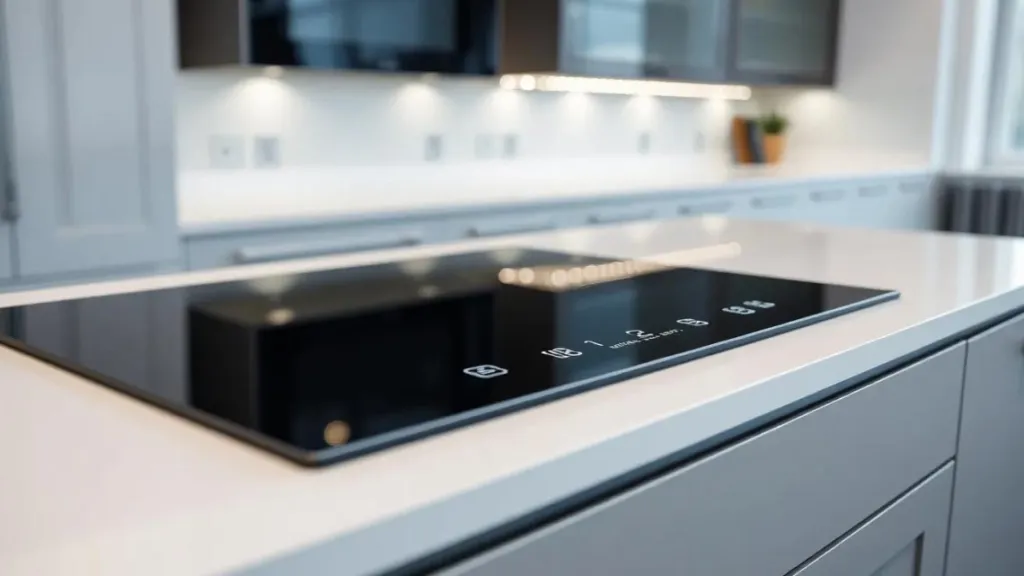
How Induction Cooktops Detect Problems
Before troubleshooting, it helps to understand why induction cooktops beep in the first place. Instead of an open flame or a heating coil, induction cooktops use an electromagnetic coil beneath the glass surface. When a compatible pan is placed on the burner, the coil creates a magnetic field that heats the pan directly. Built-in sensors constantly monitor pan placement, temperature, and touch panel input — and when something doesn’t match expected conditions, the cooktop beeps as a built-in safety and error-alert system. That’s why an induction cooktop beeping issue is rarely random; it’s the appliance flagging a specific condition.
Common Reasons Your Induction Cooktop Keeps Beeping
1. Incompatible or misaligned cookware
Induction cooktops only heat pots and pans made with magnetic (usually cast iron or magnetic stainless steel) bases. If your cookware isn’t induction-compatible, or if it’s too small, warped, off-center, or has an uneven base, the unit can’t form a proper magnetic connection and will beep repeatedly to alert you. A simple test: hold a magnet to the bottom of your pan — if it doesn’t stick firmly, that cookware likely isn’t induction-compatible.
2. Control lock is activated
Most induction cooktops have a child lock or control lock feature designed to prevent accidental use. If it gets triggered — often by a stray touch, a cleaning cloth, or a curious kid — the panel may beep continuously when you try to adjust settings. Check your manual for the lock icon (usually a small padlock) and hold it for a few seconds to release it.
3. Spills, moisture, or residue on the control panel
Touch controls are pressure- and capacitance-sensitive, which means they’re also sensitive to interference. A splash of water, cooking oil, sauce, or even condensation from a boiling pot can be misread as a touch input, causing the cooktop to beep continuously, cycle settings on its own, or shut off unexpectedly.
4. Overheat protection
Induction cooktops have built-in thermal sensors that shut a burner off and beep if the pan or the cooktop’s internal components get too hot, too fast. This is often caused by an empty pan left on a high setting, a pan that’s too thin, or a ventilation/fan issue underneath the unit that’s preventing proper cooling.
5. Power supply or voltage issues
Beeping paired with a flickering display, a full reset, or intermittent power loss can point to an unstable power supply, a loose wiring connection, or a failing internal power component. Induction cooktops draw significant power, so even small electrical inconsistencies in your home’s wiring can cause repeated beeping or error cycling.
6. Fan or ventilation blockage
Induction cooktops use an internal cooling fan to keep the electronics and coil from overheating. If that fan is blocked by dust, grease buildup, or debris, the unit can overheat internally and beep as a warning — even if the cooktop surface itself doesn’t feel hot to the touch.
7. Error codes
Many induction cooktops display a letter/number code (commonly E1, E2, E3, F2, or similar) along with the beep. These codes vary by brand and model, but they generally point to sensor faults, temperature sensor malfunctions, communication errors between the control board and coil, or a component that needs professional diagnosis.
Step-by-Step: What to Try Before Calling for Repair
- Power down and unplug the unit (or switch off the breaker) for 2–3 minutes, then restart it — this resets the control board and clears many temporary error states.
- Wipe the entire control panel and cooktop surface dry with a clean, soft cloth, making sure no moisture or residue remains near the touch controls.
- Check for and release the control lock, referring to your owner’s manual for the exact icon and hold-time.
- Confirm your cookware is induction-compatible, properly sized for the burner, and centered directly over it.
- Look for a displayed error code and note it down — this will save your technician time and help pinpoint the issue faster.
- Check that the surrounding vents aren’t blocked by cabinets, towels, or built-up grease.
If the beeping continues after these steps — especially alongside an error code, a burning smell, or inconsistent heating — stop using the cooktop and contact a professional rather than continuing to test it.
When to Call a Professional
Some induction cooktop issues are simple fixes you can resolve in minutes. Others point to failing internal components — a damaged induction coil, a faulty control board, a failing temperature sensor, or wiring issues — that require a trained technician with the right diagnostic tools. Continuing to use a cooktop that’s overheating, arcing, or repeatedly error-cycling isn’t just inconvenient; it can be a safety risk.
Teodor Appliance Repair provides fast, reliable cooktop repair Tampa Bay homeowners trust, including induction and electric cooktop diagnostics and repair, for all major brands and models.
Induction Cooktop Repair Across Tampa Bay
We proudly serve the greater Tampa Bay area with same-week appointments, transparent upfront pricing, and technicians experienced across all major induction and electric cooktop brands.
- Cooktop repair Tampa — trusted local service for induction cooktops, ranges, and wall ovens across the Tampa area, from beeping error codes to full heating element replacement.
- Cooktop repair St. Petersburg — quick diagnostics and repair for beeping, error codes, and heating issues, with technicians who know St. Pete kitchens inside and out.
- Cooktop repair Bradenton — experienced technicians for all major induction cooktop brands, offering same-week scheduling for Bradenton homeowners.
- Cooktop repair Clearwater — reliable, local appliance repair backed by a satisfaction guarantee for Clearwater and the surrounding beaches.
- Cooktop repair Sarasota — trusted induction cooktop and oven repair service for Sarasota homeowners, with the same fast scheduling and upfront pricing.
Repair Cost
| Sensor repairing or replacing | $180-$320 |
| Control board repairing or replacing | $220-$350 |
The cost of repairing a cooktop depends on its brand, type and the complexity of diagnosing and fixing the issue. If you’re experiencing issues with your stove or oven, our appliance repair Tampa Bay team is ready to help with fast and reliable service.
FAQ
OTHER ARTICLES
Get Your Induction Cooktop Fixed Today
Don’t let a beeping cooktop turn into a bigger repair. Call Teodor Appliance Repair at (863) 594-1784, or book your cooktop repair online and we’ll have a technician out to you across Tampa, St. Petersburg, Bradenton, Clearwater, or Sarasota. Our experienced technicians diagnose induction cooktop problems and provide reliable repairs to get your appliance working properly again.
We service a wide range of induction cooktop brands and models throughout the Tampa Bay area.
6 Comments
We recently bought an induction cooktop, but all our cookware is either aluminum or copper. Can we use it?
Hi Brandon! Unfortunately, no. Aluminum and copper are not magnetic materials, which means they won’t work with induction technology. Induction cooktops generate heat using magnetic fields, so the cookware must be made from ferromagnetic materials like cast iron or stainless steel. You can check compatibility with a simple magnet test: if the magnet sticks to the bottom of the pot or pan, it will work. However, there are special induction adapters (flat magnetic plates) that allow you to use non-induction cookware, but keep in mind that they may reduce efficiency and heating speed.
Can dirt or grease on the control panel cause false signals?
Hi Ethan! Yes, definitely. The control panel on an induction cooktop uses very sensitive touch sensors. Even small amounts of grease, food residue, or liquid droplets can be recognized as a button press. This can cause the cooktop to beep unexpectedly or refuse to work properly. To prevent this, always clean the control panel with a soft, slightly damp cloth, then dry it completely with a microfiber towel. Avoid using too much water or harsh chemicals, since they can damage the sensors.
Why does my induction cooktop keep beeping even though it’s clean and I’m using compatible cookware?
Hi Kimberly! If your cooktop is clean and the cookware is induction-compatible, constant beeping usually points to a technical issue. The most common causes are: residual heat warning (the surface is still hot), improper cookware placement (the pan is not centered or the bottom is uneven), faulty sensor or control board malfunction. First, make sure the cookware sits flat and covers the heating zone completely. If the beeping doesn’t stop, try unplugging the cooktop for 10–15 minutes to reset it. If the issue continues, it’s best to call a technician to check the sensors or control board.
Comments are closed.